
Mô tả lỗi: Khi Ctrl + P để view chứng từ ra excel, bạn thấy xuất hiện thông báo lỗi “The Office has detected a problem with this file” như hình sau:
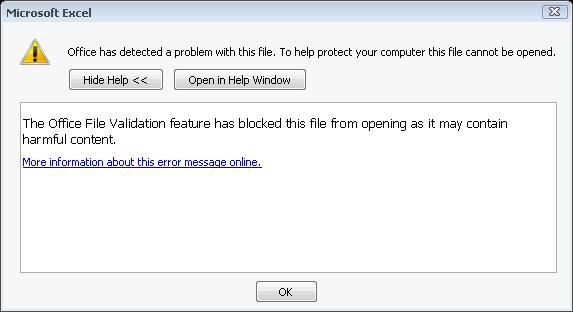
Nguyên nhân : Do Office chặn mở file
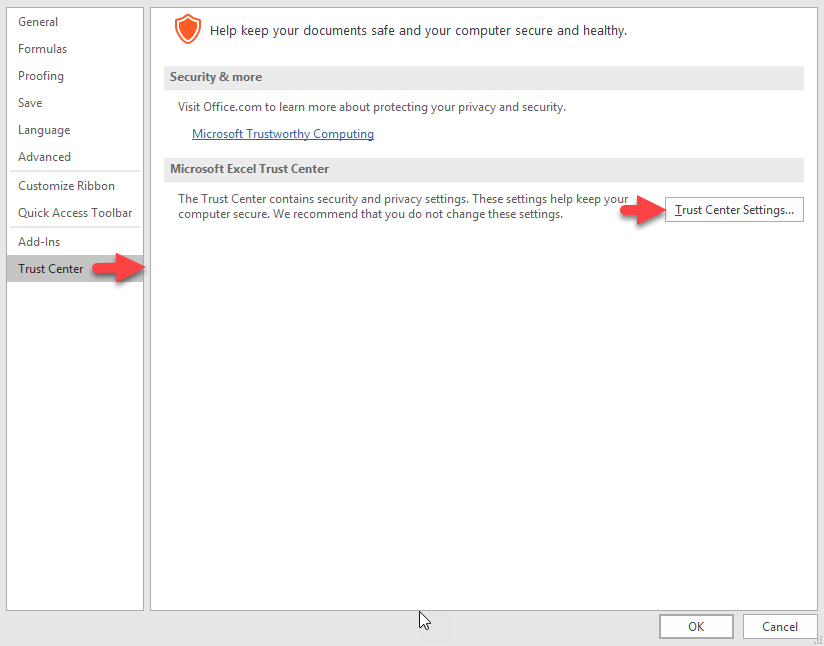
Khắc phục: Vào Excel options ► Trust Center ► Trust Center Setting
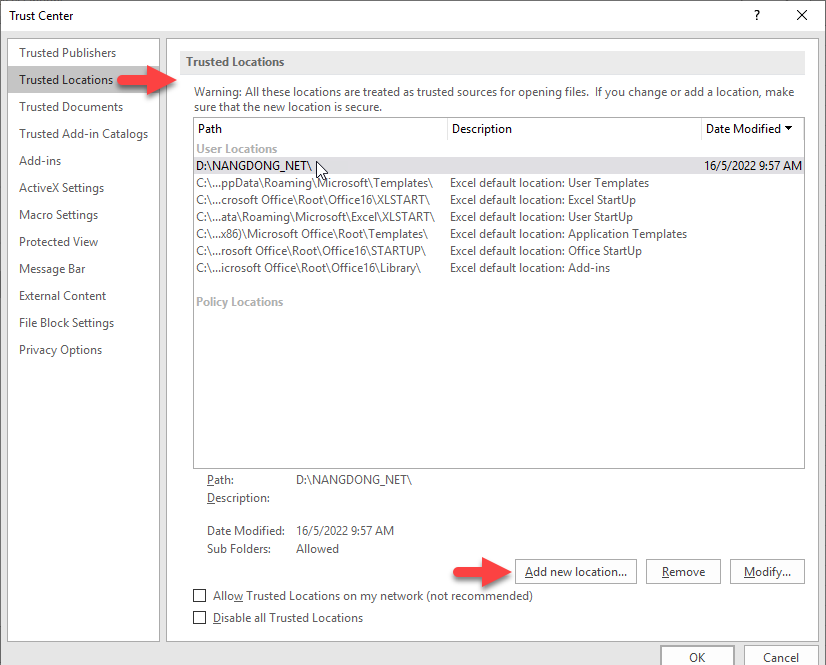
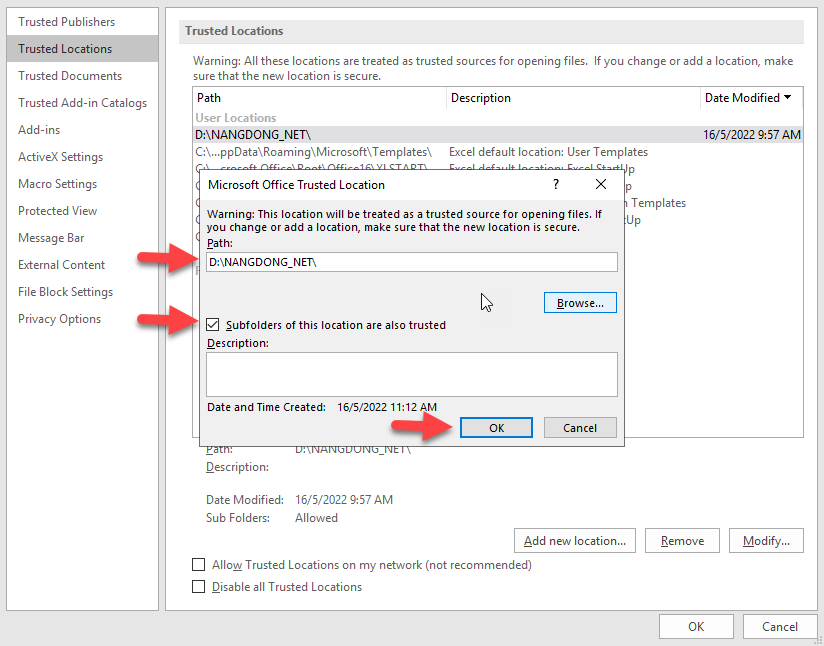
► Trust Location ► Add New Location► thêm đường dẫn thư mục NANGDONG_NET
► Check vào Subfolder of this location are also trust ► OK
► Sau đó, bạn tiến hành in lại file và xem kết quả.